
Product Details
- Product Image - Large, clear photo of the item
- Product Name - Clear title of the product
- Category Path - Shows the product’s classification
- Price - Displayed prominently (e.g., “₱30.00”)
When you click on any product card, you’ll be taken to a detailed product page with comprehensive information about the item and store.
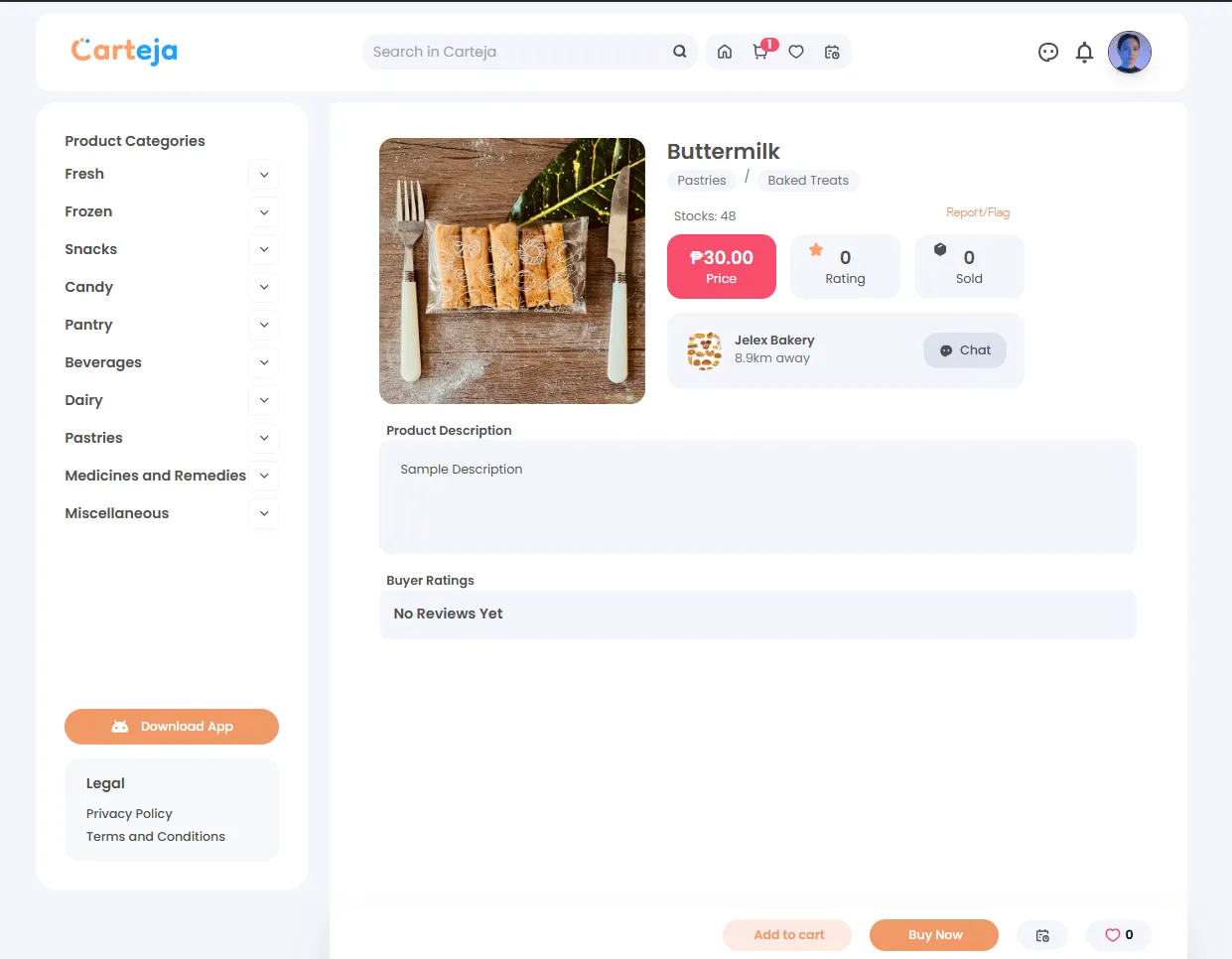
Product Details
Availability & Metrics
Each product page shows details about the selling store:
Product Description - Detailed information about the item including ingredients, size, or other specifications.
Buyer Ratings - Customer reviews and feedback section where you can read experiences from other buyers.
At the bottom of the page, you’ll find three main purchasing options:
Add to Cart
Save the item to purchase later with other products
Buy Now
Proceed directly to checkout for immediate purchase
Favorite
Save the product to your wishlist for future reference
This feature allows you to:
🆘 Common Issues
💬 Get Support
Still need help? Our support team is ready to assist you: