
Pending, Preparing & Packed
Orders in the initial processing stages.
- Cancel the order if it cannot be fulfilled.
- Approve the order to move to the next stage.
The Order Management section allows sellers to manage all customer orders — from initial processing to shipping, cancellations, and refunds.
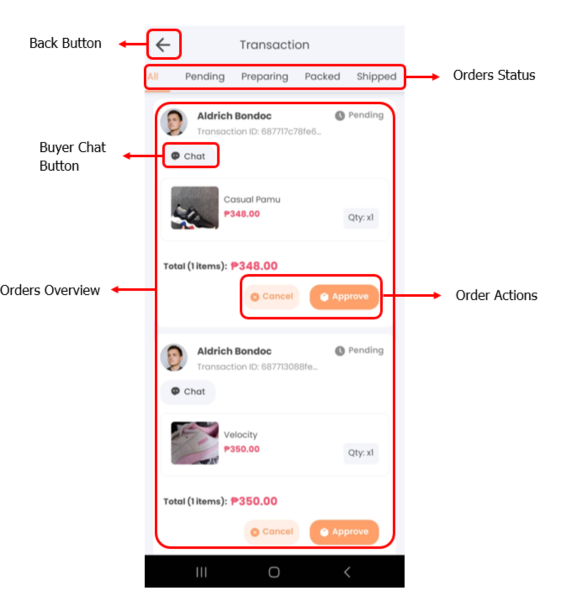
Pending, Preparing & Packed
Orders in the initial processing stages.
Shipped
Orders that have already been handed off to the courier for delivery.
For Pickup
Orders that are ready for in-store or personal pickup by the customer.
Pending Cancellation
Orders where customers have requested cancellation.
Completed
Orders that have been successfully fulfilled and completed.
Cancelled
Orders that were cancelled either by the customer or the seller.
Refund Requested
Customers have requested a refund.
Refunded
Orders that have been successfully refunded.
Refund Rejected
Orders where refund requests have been rejected.
Common Issues
Get Support
Still need help? Our support team is ready to assist you: